Bubble Version Control: Git-Like Workflow System
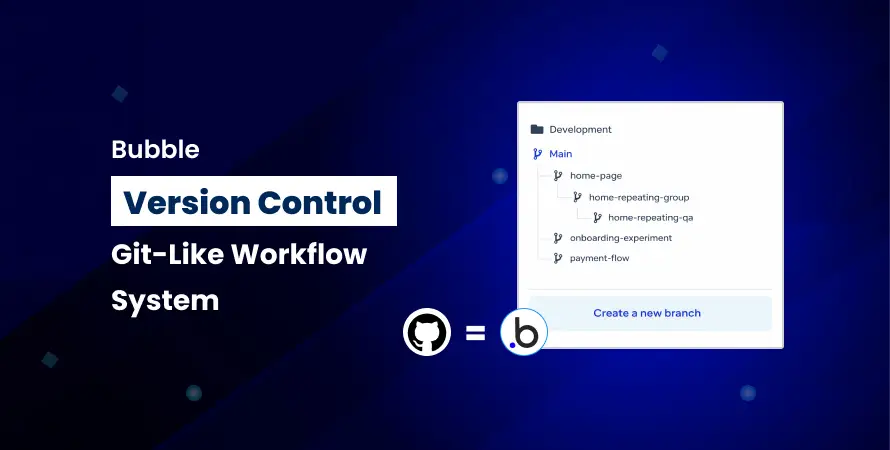
Have you ever accidentally deleted an important workflow in your Bubble app? Or made a change that broke your entire application? If you're working with the Bubble no code platform, you're not alone.
Many developers face these challenges daily. Traditional coders have Git to save the day, but what about those building Bubble no code apps?
Version control revolutionized software development by letting developers track changes, collaborate smoothly, and roll back mistakes. While Bubble.io development doesn't have Git built in, you can still implement similar workflows. Working with a Bubble gold agency ensures these processes are set up efficiently, helping teams manage changes, maintain stability, and deliver professional, error-free Bubble no code apps.
Whether you're a solo developer or part of a Bubble development agency, mastering version control is essential for professional development. Let's explore how to bring Git-like workflows to your Bubble no code development projects.
Understanding Version Control in Bubble
Version control is like having a time machine for your code. It tracks every change you make, who made it, and when. For Bubble no code apps, this becomes even more critical because visual development can make it easy to accidentally change things.
Think of version control as your safety net. Without it, you're walking a tightrope with no backup plan.
Common problems developers face without proper version control:
- Accidental overwrites when multiple team members work simultaneously
- Lost work due to unexpected changes or deletions
- No clear audit trail of what changed and why
- Difficulty testing new features without affecting the live app
- Challenges in collaborative Bubble no-code development
Professional Bubble agencies understand these risks. That's why implementing a structured version control system is non-negotiable for quality Bubble io development.
Bubble's Native Version Control Features
The Bubble no code tool comes with built-in version history, which is your first line of defense. Every time you save changes in your Bubble no code app builder, Bubble creates a snapshot. You can access this through the "App version" dropdown in your editor.
Bubble provides two main versions:
- Development Version: This is your sandbox. Make changes, test features, and experiment here. Nothing you do affects your live users.
- Live Version: This is what your users see. It should only contain tested, stable features.
To restore a previous version, navigate to Settings > App Versions > Revert to this version. You can view timestamps and see exactly when changes were made.
However, Bubble's native features have limitations. You can't create multiple development branches, there's no detailed change log for specific elements, and team collaboration tracking is basic. This is where a Git-like workflow system becomes valuable, especially for Bubble development agencies handling complex projects.
Implementing a Git-Like Workflow with Bubble Gold Agency
Professional Bubble io agencies like our Bubble Gold agency use structured workflows to manage development efficiently. Here's how to implement a Git-inspired system for your Bubble no code development:
The Branch Concept
While Bubble doesn't have true branches like traditional coding platforms, you can simulate them to keep your development organized and safe:
- Main Development Branch: This is your primary version where most of your work happens. All core features and updates should go here.
- Feature Testing: Use sub-apps or separate versions to experiment with major new features. This prevents accidental disruptions to the main app.
- Naming Convention: Label versions clearly, for example, “v2.3-payment-integration” or “v2.4-user-dashboard,” so team members can identify changes at a glance.
- Version Snapshots: Always create snapshots before starting any major work. These act as rollback points, allowing you to restore a stable version if something goes wrong.
Simulating branches this way ensures your Bubble no code app remains organized, reduces errors, and improves collaboration across development teams.
The Staging Environment
A staging environment is essential for testing your app before going live. For Bubble no code apps, you have several options:
- Sub-apps: Create a copy of your main app for testing purposes. This is available on paid plans and allows you to isolate new features.
- Development Mode with Test Data: Use your development version with dummy data to simulate real user interactions and workflows.
- Beta Testing Groups: Invite select users to access the development version. Their feedback helps identify bugs or usability issues before full release.
Our Bubble Gold agency's approach emphasizes thorough testing at this stage. Test every workflow, page, and device type to catch potential problems. This ensures a smooth live deployment, reduces errors, and improves the overall user experience.
The Deployment Process
Deploying a Bubble app from development to live requires careful planning:
- Review Changes: Document all additions, modifications, and removals. This gives you a clear understanding of what is being deployed.
- Test Thoroughly: Go through all user journeys in the development version to catch errors before they affect live users.
- Check Dependencies: Ensure plugins, APIs, and external services are functioning correctly to avoid runtime issues.
- Database Implications: Verify any structural changes to avoid data loss or corruption.
- Schedule Deployment: Choose low-traffic times to reduce the impact on users.
- Deploy: Push the development version to live.
- Monitor: Watch for errors immediately after deployment.
- Rollback Plan: Be ready to revert to the last stable version if needed.
This structured approach minimizes risks and ensures your Bubble no code app runs smoothly post-deployment.
Team Collaboration
Coordination is crucial when multiple developers work on Bubble io development projects:
- Assign Specific Areas: Each developer focuses on specific parts, such as workflows, design, or plugins.
- Communication Protocol: Use Slack or similar tools for real-time updates to prevent duplicated work or errors.
- Daily Syncs: Short meetings help everyone stay aligned on progress, challenges, and next steps.
- Change Documentation: Keep a shared document that logs all major changes to track progress and maintain transparency.
Many Bubble agencies combine project management tools like Trello or Asana with Bubble development. This helps coordinate tasks, monitor deadlines, and ensure the team works efficiently, avoiding conflicts and making large projects manageable.
Best Practices from Bubble Gold Agency
Professional Bubble io development agencies follow strict protocols to maintain quality:
Establish Clear Development Protocols
Create written guidelines for how your team handles versions, testing, and deployment. Everyone should follow the same process.
Document Every Significant Change
Maintain a changelog. Note what was added, what broke, and how you fixed it. This becomes invaluable when troubleshooting.
Regular Backups and Version Snapshots
Take snapshots before and after major work sessions. Name them descriptively so you can find them later.
Testing Procedures Before Deployment
Never skip testing. Create a testing checklist specific to your Bubble no code app and follow it religiously.
Client Communication During Updates
If you're a Bubble agency working with clients, inform them before major updates. Set expectations about potential downtime.
Emergency Rollback Plans
Know exactly how to revert to the last stable version. Practice this process so you can do it quickly if needed.
Tools and Resources to Enhance Your Workflow
Enhance your Bubble io development workflow with these complementary tools:
Documentation:
Use Notion or Google Docs to maintain clear development logs that track updates, changes, and important decisions throughout your Bubble no code project, keeping everything organized and accessible.
Project Management:
Trello, Asana, or Monday.com help manage tasks by organizing workflows, assigning responsibilities, and tracking project progress so your Bubble no code development stays on schedule.
Communication:
Slack provides dedicated channels for development updates, allowing teams to share progress, ask questions, and collaborate efficiently during Bubble no code app creation.
Screen Recording:
Loom makes it easy to record screens for documenting bugs, demonstrating features, or explaining updates, helping Bubble no code teams communicate visual details quickly and clearly.
Testing Tools:
Browser developer tools help debug Bubble no code apps by inspecting elements, monitoring performance, checking console errors, and ensuring the application runs smoothly across different environments.
When you hire a Bubble gold agency, they typically have these systems already in place.
Conclusion
Version control may feel like extra work at first, but it actually saves time and prevents problems. Using a Git-like workflow helps protect your Bubble no code app from accidental mistakes or data loss. Every change is tracked, so you can easily revert to previous versions if something goes wrong. This makes development safer and more reliable, especially for complex projects.
Version control also improves team collaboration. Multiple people can work on the same app without overwriting each other's work, and changes are easy to review. Whether you're building Bubble no code apps on your own or working with a Bubble gold agency, implementing these workflows makes your development more organized and professional. Start using version control today and see the difference it makes.
Frequently Asked Questions (FAQs)
No, Bubble doesn’t create code files for Git. But you can follow Git-like workflows using Bubble’s built-in version control, structured development processes, and careful tracking of changes to keep your app organized and safe.
Take snapshots before adding major features, after completing big updates, and before deploying to live. For active projects, creating daily snapshots ensures you can recover quickly if something goes wrong or a bug appears.
Go to Settings > App Versions, locate the last stable version, and revert immediately. Clear version names and thorough testing before deployment help prevent live issues and make recovery quick and reliable.
No, solo developers can use version control successfully. However, Bubble agencies have proven processes that save time, reduce mistakes, and handle complex apps more efficiently during Bubble no code development projects.
Divide work areas, communicate updates constantly, avoid editing the same elements at the same time, and use sub-apps for major features before merging into the main app to prevent conflicts and ensure smooth teamwork.