How To Design Complex Admin Panels in Bubble
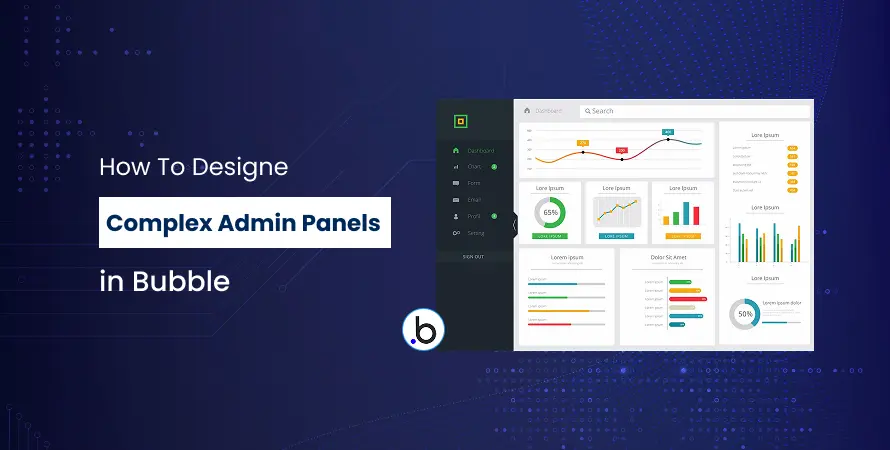
Admin panels are the backbone of any web application. They give you control over your users, content, and data all in one place. If you're building a SaaS product, marketplace, or any data-driven application, you need a powerful admin interface to manage everything smoothly.
Bubble, a leading no-code platform, lets you build advanced admin panels without any coding. While its no-code approach simplifies app development, creating complex admin panels still requires smart planning. This guide walks you through the steps to build a professional Bubble admin panel and explains when to hire Bubble developers for the best results.
Understanding Admin Panel Requirements
Before jumping into Bubble's editor, take time to understand what your admin panel needs to do. Start by listing all the tasks administrators will perform daily. This might include managing users, viewing analytics, controlling content, processing orders, or handling customer support tickets.
Think about who will use this admin panel. Will you have different types of administrators? For example, you might need super admins with full access, managers with limited permissions, and support staff who can only view certain data. Mapping out these user roles early will save you hours of rework later.
Common admin panel features include:
- User management and permissions
- Data tables with search and filtering
- Analytics dashboards with charts
- Content management systems
- Notification centers
- Settings and configuration pages
Understanding these requirements helps you decide if you can build it yourself or should hire a Bubble developer for complex functionality.
Planning Your Database Structure
Your database is the foundation of your admin panel. A well-planned database structure makes everything else easier, while a messy database creates endless problems down the road. The Bubble no code app builder gives you powerful database tools, but you need to use them wisely.
Start by creating data types for each major entity in your system. For a typical application, you might have data types like Users, Products, Orders, and Messages. Each data type contains fields that store specific information.
Key database design tips:
- Use clear, descriptive names for data types and fields
- Set up proper relationships between data types (one-to-many, many-to-many)
- Plan for scalability from the beginning
- Use option sets for fixed lists instead of text fields
Privacy rules are crucial for protecting sensitive data. In Bubble, you set privacy rules that control who can view or modify each data type. For admin panels, you'll typically create rules that only allow users with admin roles to access certain data. Many businesses hire Bubble io developer experts specifically to set up secure database architectures and privacy rules correctly.
Designing the User Interface
A clean, intuitive interface makes your admin panel a pleasure to use. Poor design creates frustration and slows down your team. The Bubble no-code approach gives you complete control over your interface design without coding.
Start with a simple layout that includes a sidebar navigation menu and a main content area. This is the standard pattern users expect in admin panels. Your sidebar should list all major sections like Dashboard, Users, Products, Orders, and Settings.
Design best practices:
- Use consistent colors and spacing throughout
- Create reusable elements for components you'll use multiple times
- Make your design responsive so it works on tablets and desktops
- Use icons to make navigation more intuitive
- Keep the most important information above the fold
Bubble's responsive engine lets you control how your admin panel looks on different screen sizes. Set breakpoints for tablet and desktop views, and adjust your layout accordingly. If design isn't your strength, consider working with a Bubble development agency that specializes in UI/UX design.
Building Core Admin Features
Now comes the exciting part - building the actual features of your admin panel. The Bubble no code tool provides everything you need to create sophisticated functionality.
User Management System
Every admin panel needs a way to manage users. Create a page that displays all users in a repeating group - Bubble's way of showing lists of data. Add search functionality so admins can quickly find specific users. Include filters to sort by user type, registration date, or status.
For each user, provide options to:
- View detailed user information
- Edit user profiles
- Change user roles and permissions
- Suspend or delete accounts
- Reset passwords
Data Tables and Lists
Repeating groups are your best friend when building admin panels. They display dynamic lists of data with search, sorting, and filtering capabilities. Set up your repeating groups with clear headers, and use conditional formatting to highlight important information.
Add pagination if you're displaying large amounts of data. This keeps your admin panel fast and prevents performance issues. You can also add bulk actions that let admins select multiple items and perform actions on all of them at once.
Dashboard and Analytics
Your dashboard should give administrators a quick overview of key metrics. Use Bubble's chart plugins to create visual representations of your data. Display important numbers like total users, daily signups, revenue, or any metrics relevant to your business.
Organize your dashboard into sections using groups and containers. The most critical information should be visible immediately when admins log in. If you need advanced analytics or custom visualizations, you might want to hire Bubble developers in india or other regions where skilled developers offer competitive rates.
Setting Up Workflows and Automation
Workflows are what make your admin panel functional. Every button click, form submission, or data change triggers a workflow. The Bubble no code app platform uses a visual workflow builder that's easy to understand.
Create workflows for common admin actions:
- Creating new records in your database
- Updating existing information
- Deleting data (with confirmation prompts)
- Sending emails or notifications
- Generating reports
For heavy processes that might slow down your admin panel, use backend workflows. These run on Bubble's servers without affecting the user experience. Backend workflows are perfect for bulk operations, data processing, or scheduled tasks.
Always add error handling to your workflows. Show clear success and error messages so admins know whether their actions worked. Validate user input before processing it to prevent bad data from entering your system.
If you're building complex automation that involves multiple systems, hiring Bubble io experts can ensure your workflows are efficient and error-free.
Implementing Security and Permissions
Security isn't optional - it's essential. Your admin panel controls sensitive data and powerful functions, so you must protect it properly. Bubble provides robust security features, but you need to configure them correctly.
Security essentials:
- Set up privacy rules for every data type
- Create role-based access control using custom fields on the User data type
- Use conditional visibility to hide features from users without permission
- Enable two-factor authentication for admin accounts
- Regularly audit who has admin access
Privacy rules work at the database level, which means even if someone tries to access data through Bubble's API, they'll be blocked. This is much more secure than just hiding elements on the page. Many businesses hire a Bubble developer or work with a Bubble no code developer specifically to audit and implement proper security measures.
Why Hire Bubble Developers for Complex Projects
While Bubble's Bubble no-code development platform is accessible to beginners, complex admin panels can get challenging. Here are signs you should hire expert Bubble io developers:
- Your project requires custom API integrations with external services
- You need complex database relationships with multiple layers
- Performance optimization is critical for your application
- You're building multi-tenant systems with complex permissions
- You need custom plugins or advanced functionality
Benefits of hiring professional help:
- Faster development time
- Best practices and optimized code
- Ongoing support and maintenance
- Expert problem-solving for technical challenges
When searching for the best sites to hire Bubble developers, look at platforms like Upwork, Toptal, or specialized Bubble forums. You can also hire a Bubble gold agency - agencies that have achieved Gold status from Bubble for their expertise. Some businesses prefer to hire a Bubble io developer on a project basis, while others need ongoing support from Bubble developers for hire.
The decision to hire app builder professionals or Bubble io developers depends on your budget, timeline, and complexity. Simple admin panels can be built by dedicated non-developers, but enterprise-level systems often require Bubble no code development experts.
Conclusion
Building complex admin panels in Bubble is entirely possible with the right approach. Start by planning your requirements and database structure carefully. Design a clean, intuitive interface that makes your team's work easier. Build features step by step, test thoroughly, and implement proper security measures.
The Bubble no code tool empowers you to create powerful applications without traditional coding, but don't hesitate to seek help when needed. Whether you hire Bubble developer professionals for specific challenges or work with a full Bubble development agency, getting expert assistance can save you time and ensure your admin panel is built to last.
Remember, what is Bubble no code? It's a platform that democratizes app development, but complex projects still benefit from experienced hands. Start simple, iterate based on feedback, and scale your admin panel as your business grows.
Frequently Asked Questions (FAQs)
Yes, Bubble's visual interface allows non-developers to build sophisticated admin panels. However, complex features may require learning advanced Bubble concepts or hiring Bubble developers for assistance with intricate functionality.
Costs vary based on project complexity and developer location. Freelance Bubble developers typically charge $40-$150 per hour, while Bubble development agencies may offer project-based pricing ranging from $5,000 to $50,000+ for complete admin panels.
Bubble no-code platform uses visual programming instead of text-based code. This makes development faster and more accessible, though complex customizations might still require Bubble developer for hire who understands advanced Bubble techniques and workarounds.
Simple admin panels can be built in 1-2 weeks, while complex systems with custom workflows may take 2-3 months. Timeline depends on features needed, your Bubble experience, and whether you hire Bubble developers to accelerate development.
Yes, but proper database structure and optimization are essential. For applications with thousands of records and concurrent users, it's advisable to hire expert Bubble io developers who can implement performance optimization and proper indexing strategies.